Maximum Functional Efficiency
Are Smart Homes Reliable, or Am I Signing Up for Glitches and Frustration?
A smart home should make daily life easier, not turn your house into a tech support project. Reliability comes from design: the network, wiring, product choices, programming logic, backup controls, and support plan all matter.

Quick Answer
A smart home is reliable when it is designed like a system, not assembled like a gadget collection.
Most smart home frustration comes from weak Wi-Fi, cloud-only devices, poor product matching, missing wiring, confusing controls, and no support plan. A professionally designed system reduces those problems by using the right infrastructure, local controls where they matter, tested programming, documented equipment, and service access when updates or troubleshooting are needed.
The Source of Frustration
Why some smart homes feel maddeningly glitchy
Homeowners are right to be skeptical. Many people have tried a few smart bulbs, plugs, cameras, or speakers and watched them disappear from the app, miss a command, or stop responding after an update. The problem is not always the device itself. It is often the way the system was assembled.
A smart home is only as reliable as the layers underneath it. If the network is weak, devices will drop. If everything depends on a cloud service, internet outages affect the experience. If automations are written without real-life exceptions, lights may turn off while someone is still in the room. If the only control is a voice command, guests and family members may not know what to say. If no one documents passwords, IP addresses, equipment locations, and programming logic, every future service visit starts with detective work.
Reliability is not an accident. It is a design requirement.
System Design
The smart home reliability stack
01
Network foundation
Professional-grade Wi-Fi, wired connections where possible, good access point placement, managed equipment, and clear device organization. Automation traffic should not be fighting poor coverage or overloaded consumer routers.
02
Wiring and power
Wiring supports reliability, speed, and serviceability. Structured cabling, labeled equipment, surge protection, and battery backup for critical gear make the system easier to maintain.
03
Control platform
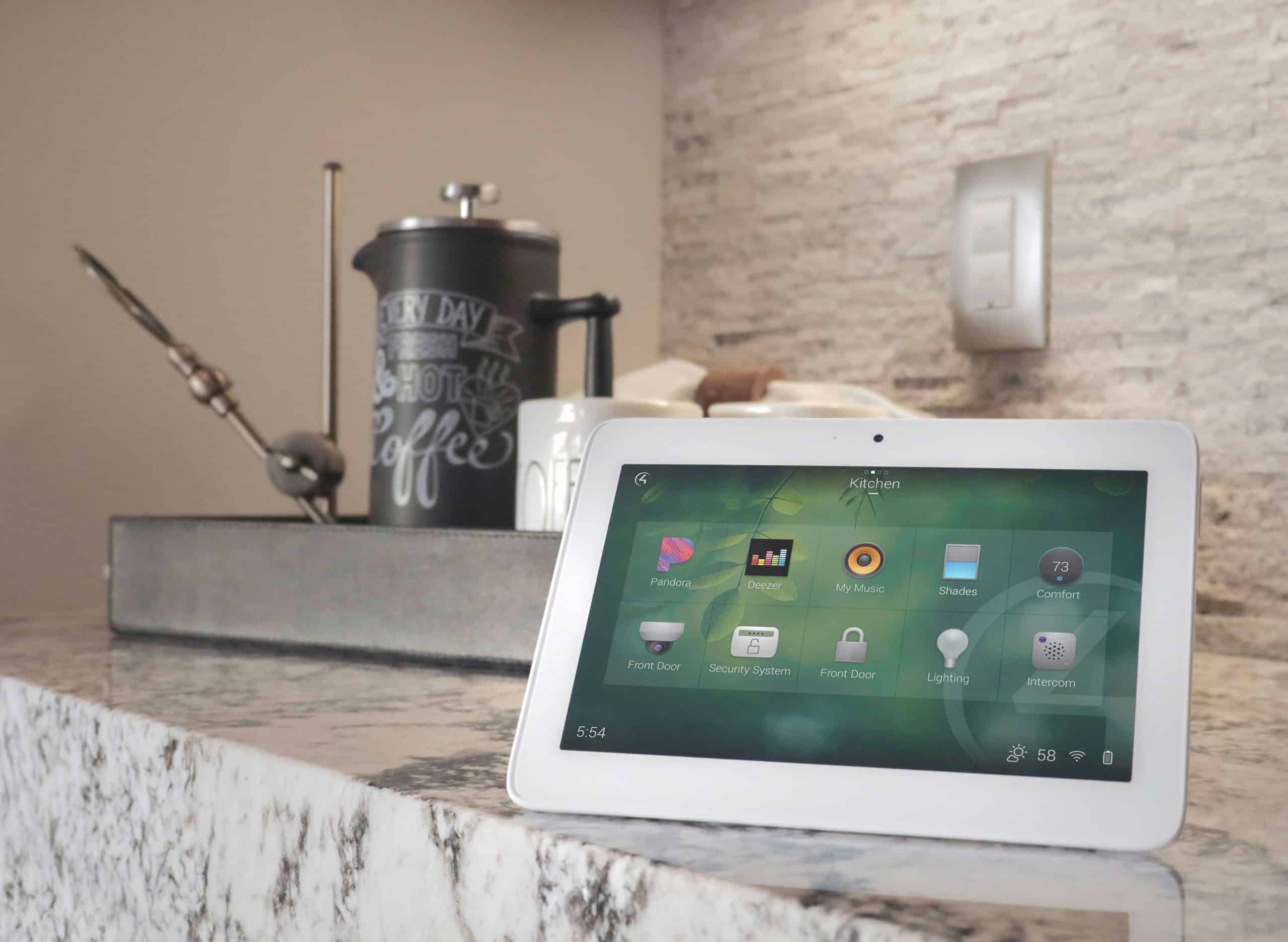
A central control platform keeps scenes and commands consistent. Instead of separate apps for every device, the system can coordinate lighting, shades, audio, video, climate, and security from one interface.
04
Product selection
Not every smart device belongs in every home. A professional integrator chooses products based on compatibility, reliability, support history, physical installation needs, and long-term serviceability.
05
Programming logic
Good programming handles normal life: guests, kids, pets, holidays, internet issues, sleep schedules, and manual overrides. The goal is helpful automation, not surprising automation.
06
Support and updates
Modern homes depend on software, streaming services, mobile apps, ISP equipment, and firmware. A service plan keeps those moving parts from becoming the homeowner’s burden.
The Outage Question
Will lights and locks still work if the internet or Wi-Fi goes down?
The honest answer is: it depends on how the system is designed. A well-designed home should preserve normal, intuitive control for critical functions wherever possible. Physical light switches, keypads, and local dimmers should not become useless just because the internet is down. Door locks should still have appropriate local options, such as keypad, key, or battery backup depending on the lock.
However, anything that depends on an outside cloud service may be affected during an internet outage. Remote app access, voice assistants, cloud video viewing, push notifications, streaming services, and some vendor-specific automations may not behave normally until service returns. Wi-Fi outages can affect Wi-Fi-only devices even if the internet itself is working.
This is why Davis Audio & Video approaches automation as an infrastructure project. Critical daily controls should have a practical fallback. Convenience features can be cloud-connected, but the home should not become unusable when a cloud service is unavailable.

Outage Matrix
What usually changes during an outage?
Ease of Use
The “switch always works” expectation
The fastest way to make a family dislike automation is to break habits that already work. If a guest walks into a powder room, the light switch should make sense. If a spouse wants to watch TV, the remote should start the room without a sequence of app taps. If a child needs a night path, the keypad should be obvious. If someone is leaving the house, Away should do the work without making anyone wonder what happened.
A reliable smart home is not only technically stable. It is socially stable. Everyone in the home knows how to use it. That is why physical controls still matter. Apps are excellent for remote access and occasional adjustments, but daily functions should be available through keypads, remotes, touchscreens, and simple scenes that match how the household already lives.
Before calling a system finished, ask: Can a guest turn on the lights? Can a babysitter watch TV? Can the homeowner leave without checking every room? Can the house be used when the person who loves technology is not home?
Long-Term Reliability
How often will I need to mess with it or call someone back out?
A properly installed system should not need constant homeowner attention. But smart homes are not frozen in time. Streaming services change. Mobile operating systems update. Internet providers replace modems. Firmware gets patched. Remote controls need batteries. Cameras, networks, and processors should be monitored and maintained. That is normal technology ownership.
The difference is whether the homeowner has to manage all of it alone. Davis Technology Performance Plans are designed to cover system integrations, programming, software, networks, internet service connectivity, troubleshooting, monitoring, updates, and maintenance. With the right hardware, many maintenance and repair tasks can be handled remotely, which can reduce the need for an on-site visit.
What should feel automatic
- Daily lighting scenes
- Media room startup
- Thermostat schedules
- Shade routines
- Goodnight and Away scenes
What needs periodic attention
- Software and firmware updates
- Remote and sensor batteries
- Wi-Fi and ISP equipment changes
- Camera storage and passwords
- Streaming app changes
What support helps prevent
- Unknown passwords
- Unlabeled equipment
- Broken scenes after updates
- Weak network areas
- Last-minute event problems
Professional vs. Piecemeal
Are professional systems more stable than a bunch of Wi-Fi gadgets?
They can be, when designed correctly. A professional system does not automatically become reliable because it is expensive. It becomes reliable because the integrator controls the variables that cause frustration: network design, product compatibility, wiring, power quality, rack organization, programming, documentation, and support.
Wi-Fi gadgets can be useful in the right role. The problem is asking every device in the home to behave like a professional infrastructure component. A few wireless accessories are different from dozens of critical loads, cameras, locks, shades, thermostats, and entertainment sources all competing for bandwidth and cloud access. Professional design separates what should be wired, what can be wireless, what should be local, and what can depend on the cloud.
FAQ
Smart home reliability questions
Will my lights still work if the internet goes down?
They should, if the lighting system is designed with local physical control. Cloud features, remote access, and voice control may be affected, but basic lighting should not depend entirely on an internet connection.
Will Wi-Fi devices always be less reliable?
Not always. Wi-Fi devices can work well when the network is properly designed and the device is used in the right role. But critical systems often benefit from wired connections, dedicated control protocols, and professional-grade networking.
How do you prevent automations from misfiring?
Good automation programming accounts for real routines, manual overrides, occupancy, time of day, room use, and exceptions. The goal is to make the system helpful without surprising the homeowner.
What is the most common cause of smart home frustration?
Weak or poorly planned networking is one of the most common causes. Other frequent problems include too many apps, cloud-only devices, poor product compatibility, missing documentation, and no support process.
Do service plans really matter?
They matter for homes that rely on integrated technology every day. Service plans help with updates, troubleshooting, remote access, network scans, hardware/software support, and response expectations.
Support after installation
Reliability starts with design and continues with support.
Talk with Davis Audio & Video about a system that is easy for your household to use and practical to maintain.
Schedule a Consultation