An existing stereo that deserves to stay
Connect a NODE model to a receiver, integrated amplifier, preamp or powered speakers. We choose the output and decide whether Bluesound or the downstream component should perform digital-to-analog conversion.
High-resolution streaming for existing audio systems
The Bluesound NODE Series brings BluOS streaming to audio systems worth keeping. NODE NANO, NODE and NODE ICON share a high-resolution music platform, but their inputs, outputs, headphone features, room correction and installation roles are meaningfully different.
Integrator guidance
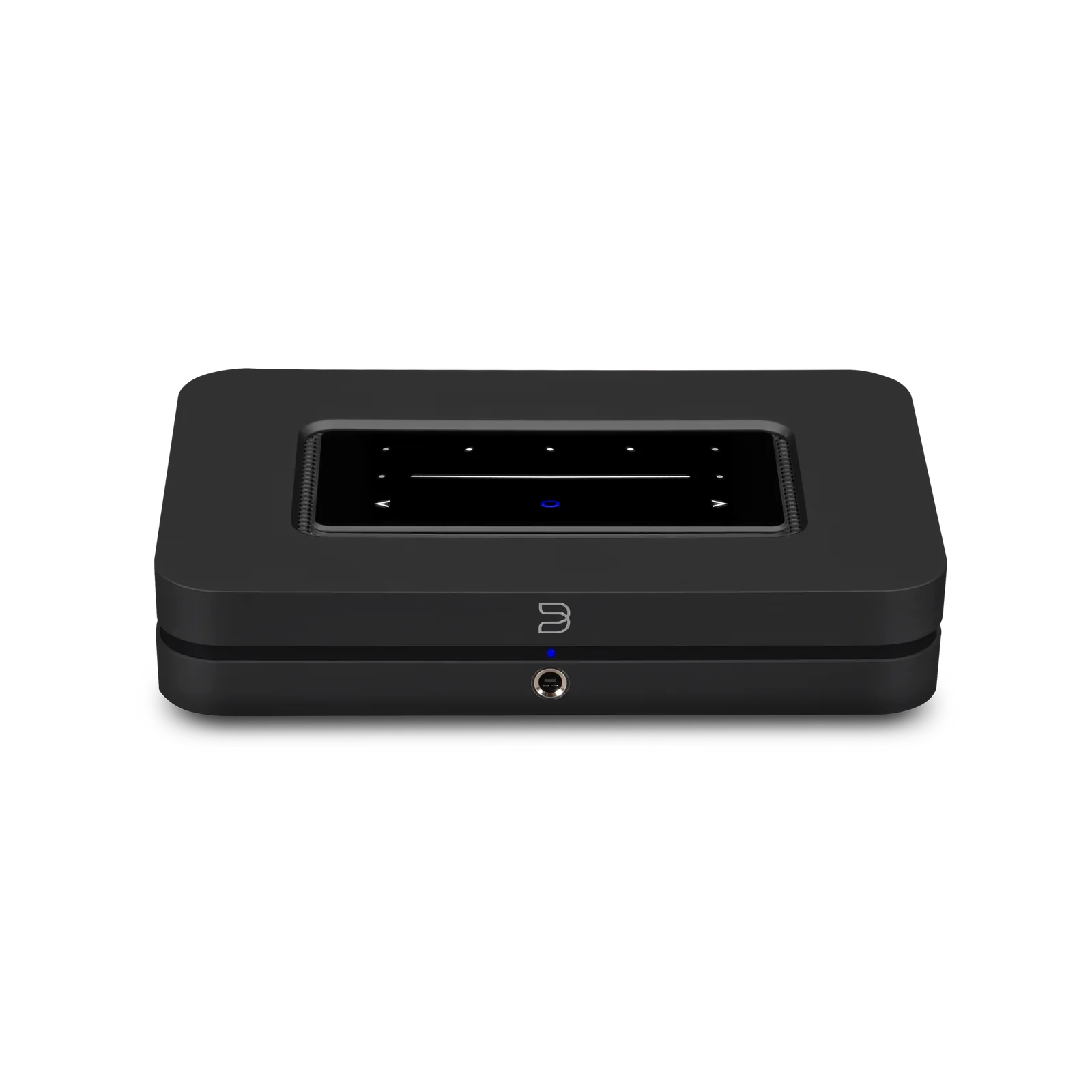
A music streamer can modernize a well-built stereo without replacing its amplifier or speakers. The current NODE family plays supported streaming services, internet radio, USB storage and network libraries through BluOS, then feeds an existing system through analog or digital outputs.
NODE NANO is the compact output-focused choice. NODE adds HDMI eARC, an analog or optical input, a full-size THX AAA headphone output and Dirac Live compatibility. NODE ICON adds dual-mono conversion, balanced XLR outputs, expanded inputs, two headphone jacks and a five-inch display.
Davis Audio & Video selects the model around sources, amplifier inputs, television use, acoustics, networking, control and future expansion. The goal is to buy the capability the room can use without creating an avoidable upgrade.
Where the Bluesound NODE Series is the right fit
Connect a NODE model to a receiver, integrated amplifier, preamp or powered speakers. We choose the output and decide whether Bluesound or the downstream component should perform digital-to-analog conversion.
NODE or NODE ICON can serve a serious two-channel system with high-resolution files, Roon Ready playback and optional Dirac Live. NODE ICON is the fit when balanced XLR, its display or dual headphone connections matter.
NODE and NODE ICON accept TV audio through HDMI eARC and decode Dolby Digital, making a stereo more useful for everyday viewing without becoming a multi-input AV receiver.
A NODE can join POWERNODE amplifiers, Bluesound speakers and other compatible BluOS products. Rooms play independently or group while the main stereo remains part of the same environment.
What a properly selected NODE system does better
NODE NANO covers essential output, NODE adds source and TV flexibility, and NODE ICON addresses premium analog output and headphone listening. Davis Audio & Video matches those differences to the room.
BluOS combines supported cloud services, internet radio, USB storage and SMB shares in one environment. Current NODE pages specify network-share indexing up to 200,000 files.
Published options include the BluOS Controller app, AirPlay 2, Spotify Connect, TIDAL Connect, Qobuz Connect and Roon Ready. Professional integrations are verified against current firmware and drivers.
Analog and digital outputs support many existing systems. A future amplifier, DAC, headphone system or additional BluOS room can be planned without rebuilding the listening experience.
Professional design
A NODE is a source, not a speaker amplifier. It needs powered speakers or amplification for passive speakers. Output level, input sensitivity, grounding, trigger behavior and fixed or variable volume are set so the homeowner has one reliable volume control.
NODE and NODE ICON support Dirac Live, but the calibration kit and software license are separate. Davis Audio & Video uses correction after speaker placement and room setup are sound; software should refine a good layout, not conceal a poor one.
HDMI eARC returns audio from a compatible TV. Sources normally connect to the TV, which then feeds the NODE. NODE and NODE ICON decode Dolby Digital, not Dolby Atmos, so output format, CEC, lip sync and the stereo path are tested together.
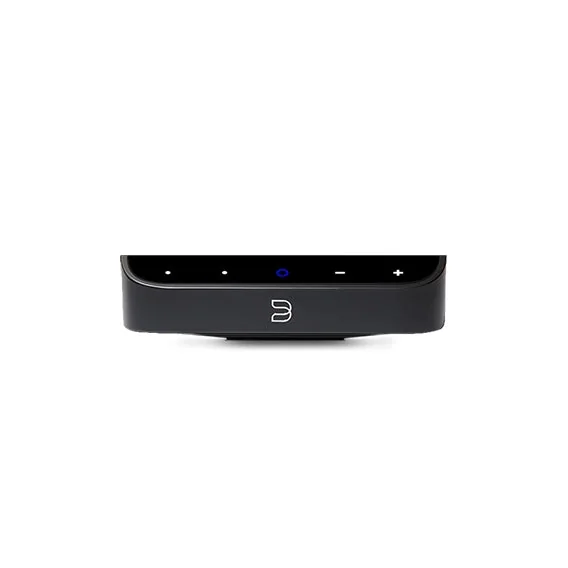
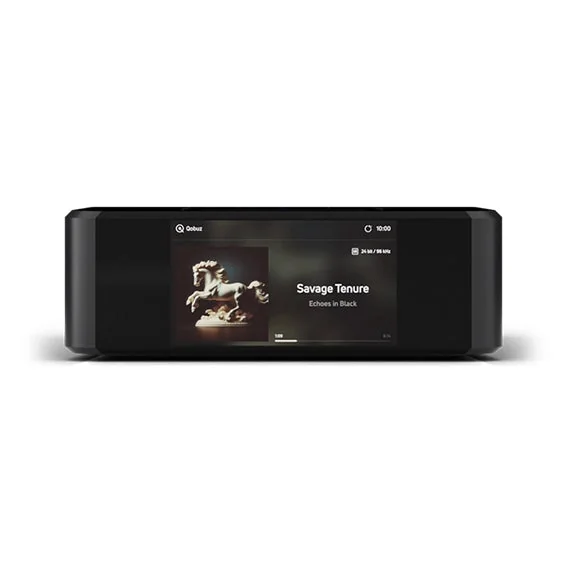
How the NODE Series fits into a Davis Audio & Video system
Davis Audio & Video chooses RCA, balanced XLR or a supported digital output for the selected model and configures a clear volume and power sequence.
Current NODE pages list Control4, Crestron, RTI, ELAN, URC, Lutron and Josh.ai. We confirm driver version, commands and the preferred music-browsing interface.
Gigabit Ethernet is often preferred in a rack or cabinet. Wireless installations are planned around measured coverage, channel use and other home traffic.
POWERNODE adds amplified rooms, while HUB places a turntable, CD player or compatible TV source on BluOS. NODE remains the bridge to an existing main system.
Specifications
The specifications below reflect official Bluesound product and support information reviewed July 29, 2026. Firmware, service support and availability can change, so Davis Audio & Video verifies the exact model and current documentation before proposal and installation.
| NODE NANO (N030) | ESS ES9039Q2M DAC; RCA, coaxial, optical and USB audio outputs; two presets; no HDMI eARC input; wireless PULSE SUB+ output |
|---|---|
| NODE (N132) | ESS ES9039Q2M DAC; RCA, coaxial, optical and USB outputs; HDMI eARC and combination optical or analog input; THX AAA 6.3 mm headphone output; five presets; Dirac Live compatible |
| NODE ICON (N530) | Dual ESS ES9039Q2M DACs; balanced XLR, RCA, coaxial, optical and USB outputs; HDMI eARC, optical, analog and USB-C inputs; two 6.3 mm headphone outputs; five-inch display; Dirac Live compatible |
| Native resolution | Up to 192 kHz, 16- to 24-bit |
|---|---|
| High-quality formats | FLAC, MQA, WAV, AIFF and MPEG-4 SLS; current pages also list DSD256 |
| Network libraries | SMB shares up to 200,000 files |
| Network connection | Gigabit Ethernet and dual-band Wi-Fi 5 |
| Published integrations | AirPlay 2, Spotify Connect, TIDAL Connect, Qobuz Connect and Roon Ready |
| Controller platforms | BluOS Controller for iOS, Android, Windows and macOS |
| Dolby decoding | Dolby Digital on NODE N132 and NODE ICON N530; not listed for NODE NANO |
| Dirac Live | Supported on NODE N132 and NODE ICON N530 with separately purchased calibration kit and software license |
Planning notes
Davis Audio & Video process
Davis Audio & Video reviews the amplifier, speakers, sources, TV, network, services and each listener's control preferences.
We select the model and define connections, output level, control, networking, power and future BluOS expansion.
The streamer receives service access, labeled cabling, stable power and the correct audio, HDMI and network connections.
We update firmware, connect services, test sources, verify grouping, set volume boundaries and perform licensed room correction when included.
The household receives a focused explanation of listening paths, presets and recovery, plus support through Davis Audio & Video.
FAQs
NODE NANO is the compact output-focused streamer. NODE adds HDMI eARC, an input, THX AAA headphones and Dirac compatibility. NODE ICON adds dual-mono conversion, balanced XLR, expanded inputs, two headphone jacks and a five-inch display.
No. NODE models are sources for powered speakers, an integrated amplifier, receiver or preamp. For streaming and speaker amplification in one component, compare the current Bluesound POWERNODE.
Often, yes. Models offer analog RCA or supported digital outputs, while NODE ICON adds balanced XLR. Davis Audio & Video confirms compatibility and configures one clear daily volume path.
NODE N132 and NODE ICON N530 accept audio returned from a compatible TV through HDMI eARC; NODE NANO does not. TV audio settings, CEC and lip sync must be verified.
No. Bluesound lists Dolby Digital for current NODE and NODE ICON, not Dolby Atmos. Atmos speakers and advanced surround formats require an appropriate home-theater platform.
NODE and NODE ICON support Dirac Live, but the calibration kit and software license are separate purchases. NODE NANO is not listed as compatible.
Current NODE pages list Control4 and other professional systems. Davis Audio & Video verifies the driver, commands and whether BluOS, automation or both should handle music.
One NODE feeds its connected system and can group with other BluOS players. Each independent room needs a compatible endpoint such as NODE, POWERNODE or a Bluesound speaker.
Related Davis Audio & Video resources
Next step
Davis Audio & Video can help match products to wiring, control, acoustics, networking, mounting, calibration and long-term support.